I launched 4 iOS apps in quick succession and got rejected on every single one. Here’s what happened and how to avoid the same traps.
1. IAP Products Registered But Not in the Binary
App: Renio (subscription tracker) Guideline: 2.1(b) - App Completeness
I created subscription products (Monthly, Yearly) in App Store Connect but submitted the app without implementing StoreKit. The products existed in the console but not in the code.
In-app purchase products associated with the app version submitted for review could not be found in the submitted binary.
The Fix
Two options:
- Not ready for IAP yet? → Delete the products from App Store Connect, then resubmit
- Want to include IAP? → Implement StoreKit + test in sandbox + attach screen recording
I went with option 2 — implemented StoreKit 2, tested purchases in sandbox, and attached a screen recording to the App Review notes. Apple wants the full flow: home screen → launch app → complete purchase.
Lesson: If you’ve created IAP products in App Store Connect, they must be implemented in the binary. Not ready? Delete the products first.
2. Subscription App Without EULA Link
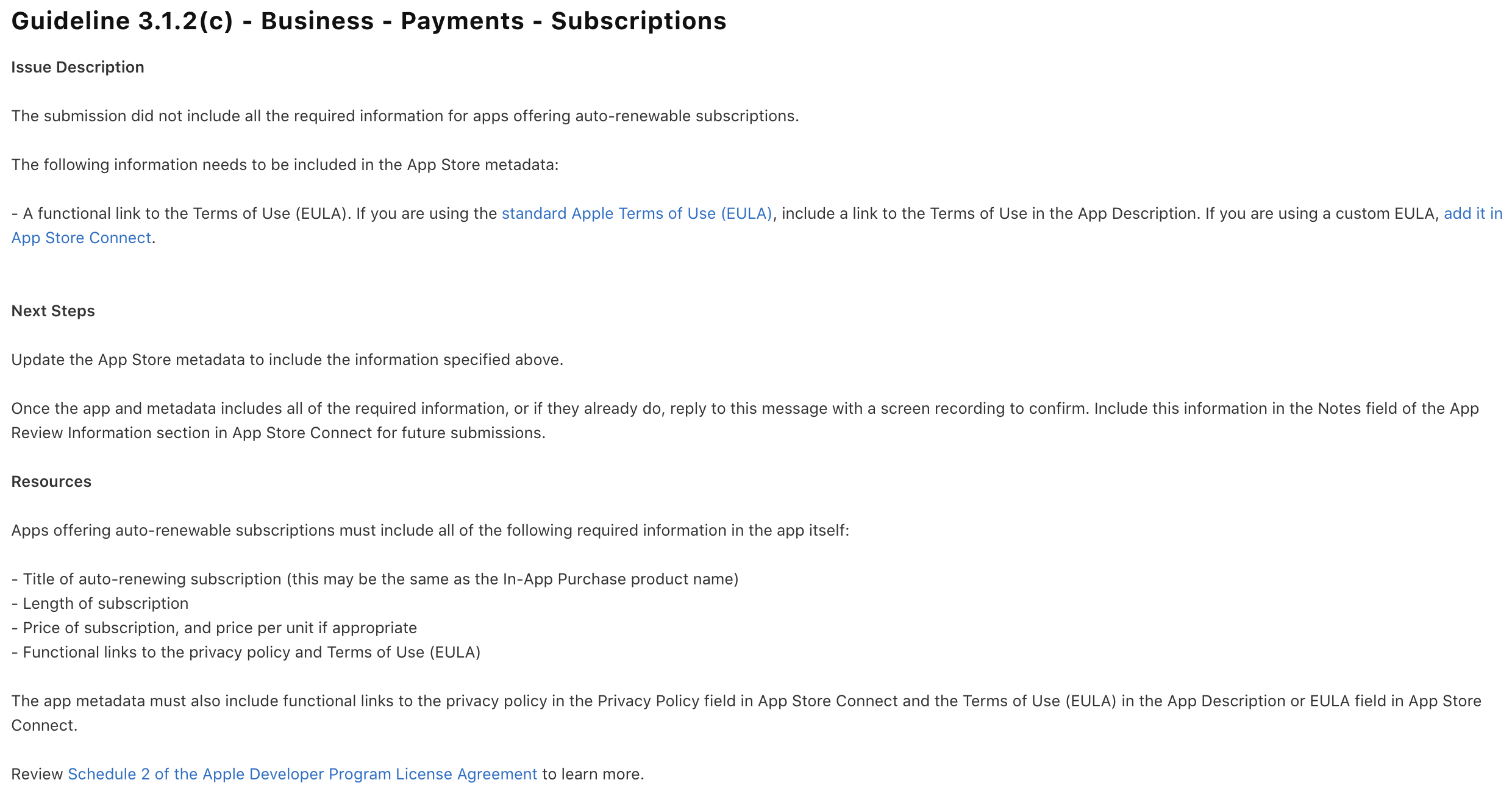
App: JournalMind (journal app) Guideline: 3.1.2(c) - Subscriptions
The app had auto-renewable subscriptions but was missing a Terms of Use (EULA) link in the App Store metadata.
The submission did not include all the required information for apps offering auto-renewable subscriptions. A functional link to the Terms of Use (EULA).
What Apple Requires for Subscription Apps
Four things, non-negotiable:
- Subscription name
- Subscription duration
- Subscription price (including per-unit price)
- Privacy Policy + Terms of Use (EULA) links
These must be in the app itself AND in App Store Connect metadata.
The Fix
Two places to check in App Store Connect:
- App Information → Privacy Policy URL
- App Description or EULA field — Terms of Use link
Even if you’re using Apple’s standard EULA, you need to explicitly include the link. I added this at the bottom of my App Description:
Terms of Use: https://youngwonstudio.com/terms
Privacy Policy: https://youngwonstudio.com/privacy/appname
Lesson: If your app has subscriptions, check the EULA link before submitting. This is one of the most common rejection reasons.
3. Copy-Pasted IAP Promotional Images
App: Clareo (GTD task manager) Guideline: 2.3.2 - Accurate Metadata
I had multiple In-App Purchase products and used the same promotional image for all of them. Figured a generic app-themed image would be fine. It wasn’t.
You submitted duplicate or identical promotional images for different promoted In-App Purchase products and/or win back offers.
The Fix
Each IAP product needs a unique promotional image that visually distinguishes it from the others.
If you’re not planning to promote the IAP, you can just delete the promotional image entirely. No image = no issue.
Lesson: Make IAP promotional images unique per product. If you’re not promoting, delete the images instead of using placeholders.
4. Over-Checked the Privacy Labels
App: Sudozen (sudoku game) Guideline: 5.1.2(i) - Data Use and Sharing
When setting up Privacy Labels in App Store Connect, I checked tracking-related boxes (Device ID, Advertising Data, Product Interaction). The app doesn’t actually track users — I just wasn’t sure what the options meant and checked them “to be safe.”
The app privacy information indicates the app collects data in order to track the user. However, the app does not use App Tracking Transparency to request the user’s permission.
From Apple’s perspective: “You said you track users but never asked for permission.”
The Fix
Two options:
- If you actually track → Implement ATT (AppTrackingTransparency) framework
- If you don’t track → Update Privacy Labels in App Store Connect
I wasn’t tracking anything, so I just unchecked the boxes.
Lesson: Privacy labels should be “don’t check unless certain,” not “check to be safe.” Over-declaring actually causes rejections.
The Pattern
Only Renio required a code change (StoreKit implementation). The other 3 rejections were resolved by updating App Store Connect settings — zero code changes.
| Guideline | Mistake | Fix |
|---|---|---|
| 2.1(b) | IAP products registered, not in binary | Implement StoreKit + screen recording |
| 3.1.2(c) | Missing EULA link for subscription app | Add link to App Description |
| 2.3.2 | Duplicate IAP promotional images | Unique image per product |
| 5.1.2(i) | Over-checked privacy tracking labels | Update labels |
Pre-submission checklist:
- Are IAP products in App Store Connect actually implemented in the binary?
- Subscription app? EULA + Privacy Policy links in App Description AND in the app?
- IAP promotional images unique per product? (or deleted if not promoting)
- Privacy labels match actual data collection?
These four checks would have saved me all 4 rejections.